Tint & Track

£49.99 Ex VAT
-
+

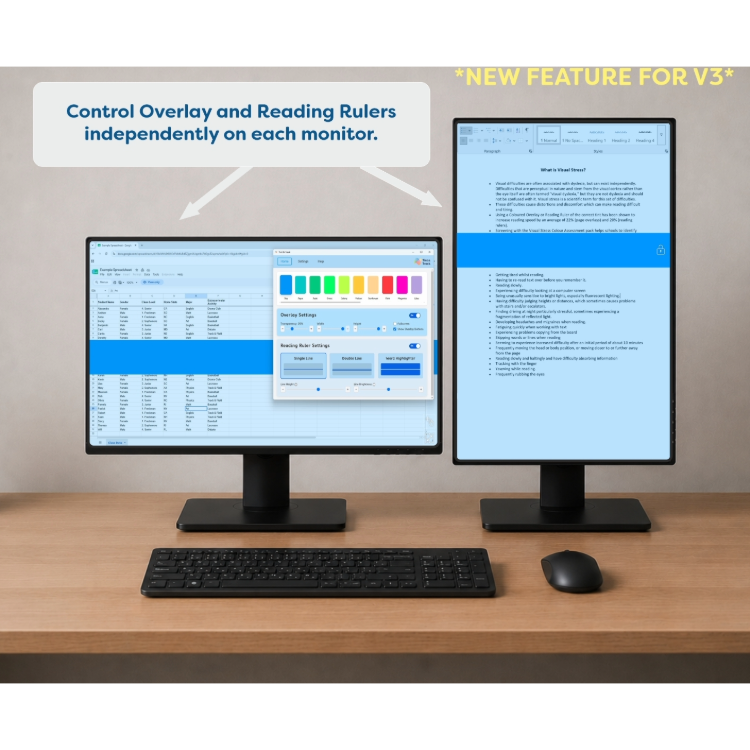
Tint and Track V3 is Crossbow Education’s screen tinting and reading support software, designed to help reduce visual stress, improve screen readability and create a more comfortable digital reading experience.

Using coloured screen overlays and tracking lines, Tint and Track enables users to personalise their display to suit their individual preferences. It can help reduce glare, improve contrast and support sustained focus when using a computer.

Developed by Crossbow Education, a trusted provider of assistive technology and accessibility solutions for over 20 years, Tint and Track V3 is suitable for education, workplaces and home use. It supports individuals with dyslexia, visual stress and other reading difficulties, while also providing a solution for anyone who benefits from reading through colour or tracking tools.

The digital companion to Crossbow Education’s coloured overlay range.

Tint and Track V3 includes all 16 Crossbow coloured overlay colours as standard, matching our complete physical coloured overlay range. This allows users to work with the same trusted colour when reading printed materials or digital content, creating a consistent and personalised reading experience across paper and screen.

Key Features Include:

  • Overlay Mode, best for tinting a whole screen at a time.
  • Reading Ruler Mode, best for helping you keep your place while you read.
  • A variety of fully customisable tracking lines to help you keep your place while you read.
  • Type and click through Overlay / Reading Ruler.
  • Keyboard shortcuts to quickly perform actions with the software, e.g. turn your overlay on and off or cycle between the modes.

What will the software work over:

  • Multiple monitors:  it will recognise how many monitors are attached to your computer and adjust its settings accordingly.
  • The top of any application running on your screen.
  • A remote screen.
  • A projector.

Overlay mode:

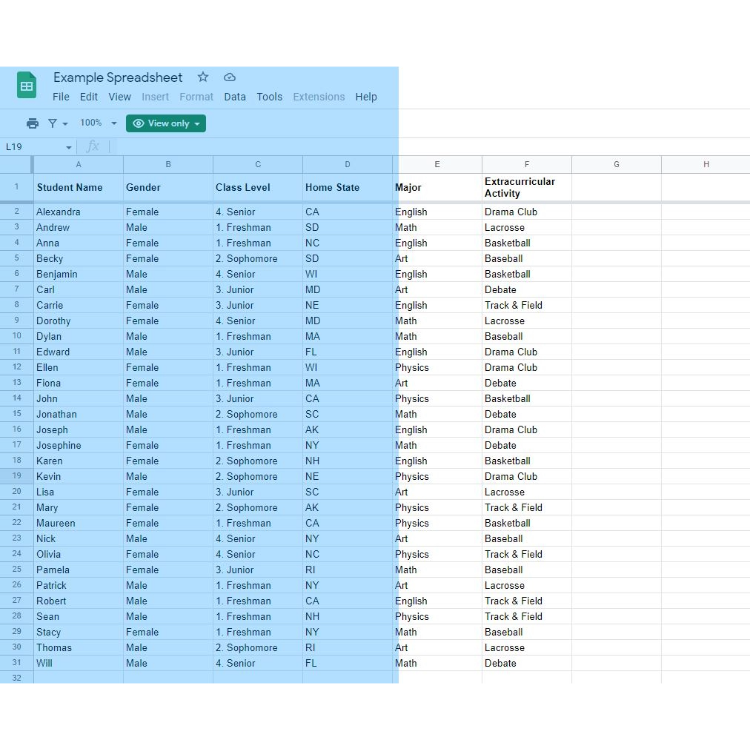
  • Best for tinting a whole screen at a time.
  • A plain overlay that can cover your whole screen or a section of it.

Reading ruler mode:

  • Best for help keeping your place while you read.
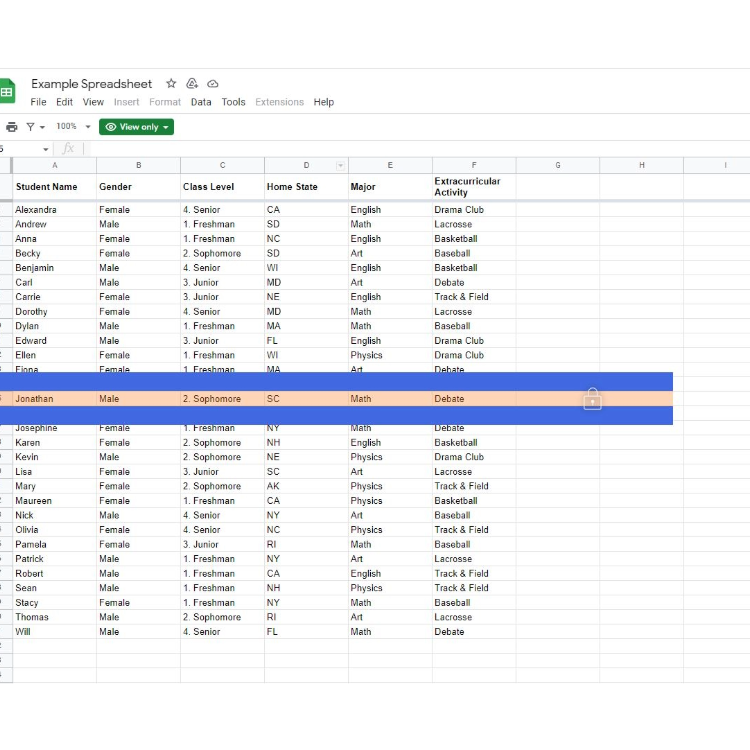
  • Has several different tracking line styles to suit your need.
  • Is attached to your mouse so that it is easy to follow the line you are reading.
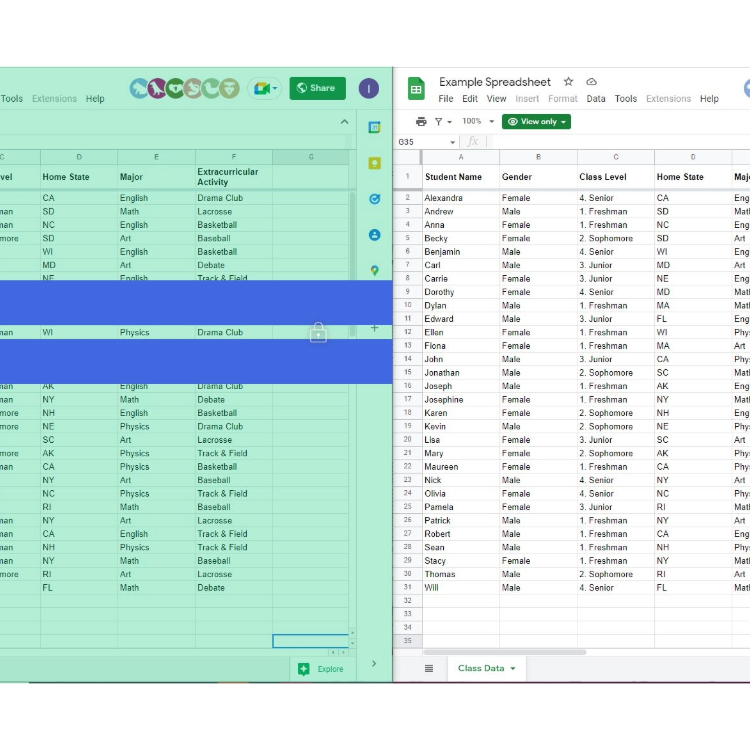
  • Has a clever lock button which will detach the ruler from the mouse if you need to move your mouse around the screen, but the ruler keeps its place so you don’t lose the position you were on.
  • A useful mode for using and reading spread sheets.
  • We ship: within United Kingdom only
  • Delivery time: click here

For more information call us on 023 80240 300

  • Fast delivery: available on request
  • Buy more for less: contact us for bulk orders
  • Ask a question: webshop@microlinkpc.com